TL; DR
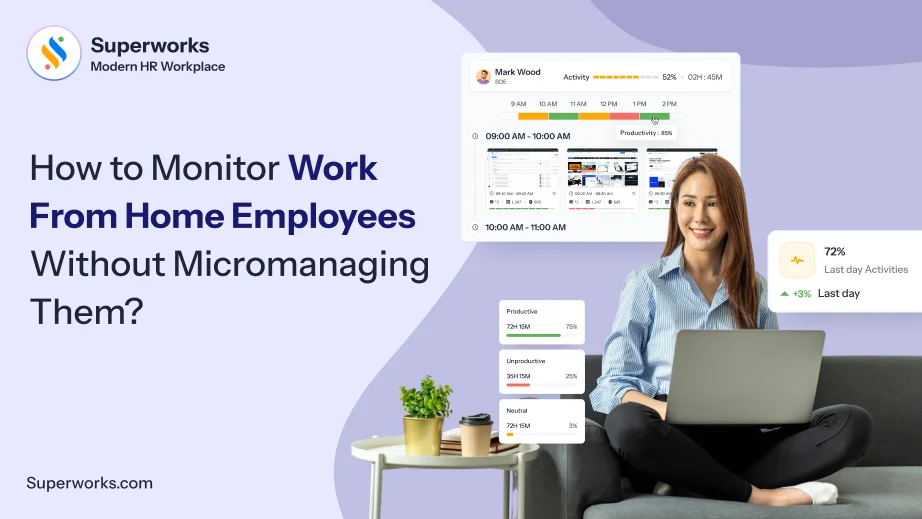
Knowing how to monitor work-from-home employee performance isn’t about watching their screens. It is about having visibility, without coming across as Big Brother. When the debate around the legality of employee monitoring software in the workplace is so common, having the right approach matters. This blog gives you all the insights you need to monitor your employees who are working from home without micromanaging them.
Imagine having a massive team that is living and working from different corners of the country. While your head office is in Bengaluru, your team is working from their homes that are in Pune, Ahmedabad, Payroll Software Mumbai, and Kolkata.
Now, if you are a manager, you have also felt whether your remote team is actually working or not.
This is not a rhetoric. This is a necessary one, because for many businesses, this is a problem right now. While the remote working model has given a degree of independence to employees, it has also created a problem for HR and managers. The problem is the lack of visibility into what employees are doing. Apart from this, there is also the issue of breaching privacy and the legality of it.
The honest answer is that remote oversight isn’t about replacing the office cubicle with a webcam. This guide walks through exactly that. At the core of this guide is to put out there the practice of monitoring without becoming Big Brother.
What does it mean to monitor employees working from home?
Before you understand how to monitor employees working from home, it helps to know what that actually means.
It means using software to manage, track, and analyze remote workers’ activities and productivity. Along with that, it also ensures security from any kind of threats, including internal ones. The purpose of all this is to ensure that work gets completed on time, have visibility, and protect sensitive company data because employees are not working from the office.
7 effective ways to monitor work-from-home employees
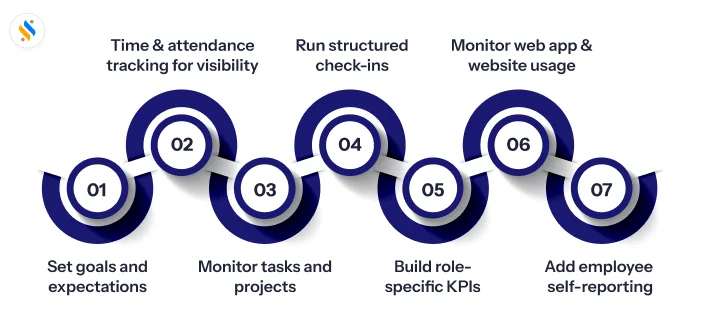
If you’re wondering how to monitor work-from-home employees without it feeling invasive, these seven methods cover the basics.
1. Set goals and expectations before you track anything:
Collecting monitoring data without knowing what needs to be collected is just data collection that is of no use. Therefore, before installing any tools, you need to have absolute clarity about your goals and what you are expecting out of the data that monitoring software will provide.
2. Use time and attendance tracking for visibility:
The whole purpose of having an employee monitoring software for the remote team is to have real-time visibility on aspects like clock-in, break time, clock-out, their productivity, web app usage, keystrokes and mouse movements and their active and idle time. However, the problem starts to happen the moment you make employees realize that this is a policing tool. Therefore, you need to ensure that the tool gets used to monitor their work and productivity only and not anything beyond that.
3. Tie monitoring to tasks and projects, not just hours logged:
Hours worked tell you availability; tasks completed tell you output. Pairing time data with a project management view, who owns what, what’s overdue, and what shipped, gives a far more honest picture of remote productivity than screen time alone ever could.
4. Run short, structured check-ins instead of constant pings:
A 15-minute async or live standup where each person shares yesterday’s progress, today’s priority, and any blockers does more for accountability than any background-running agent. It also surfaces problems, such as an unclear brief, a dependency stuck with another team, before they turn into missed deadlines.
5. Build role-specific KPIs instead of one universal scorecard:
It’d be absolutely unfair to judge a sales rep, a developer, and a content writer by the same yardstick. Define two or three measurable indicators per role and review them on a consistent measure rather than reacting to short-term dips.
6. Monitor app and website usage for security first, productivity second:
The reason why employee monitoring tools offer web app and website tracking is to keep the data secure. It flags unauthorized software, risky downloads, or unusual patterns before they become a breach. Treat any productivity insight from this data as a bonus since it keeps the practice proportionate under DPDP principles.
7. Add employee self-reporting to the mix:
A short end-of-day or end-of-week summary, written by the employee, closes the gap that automated tools can’t fill: context. “Spent two hours blocked on a client approval”, explains a quiet productivity dashboard far better than the dashboard does on its own, and it gives employees a voice in how their work gets read.
See employees work in real-time without micromanaging them!
Get the visibility you need that will make your team accountable without surveillance.
Is it legal to monitor work-from-home employees in India?
In India, monitoring work-from-home employees is legal, but there are conditions. There’s no single law in India that governs remote work monitoring outright. Instead, employers operate under the Information Technology Act, 2000, and the Digital Personal Data Protection Act, 2023.
In practice, the DPDP Act asks employers to clear three bars before any monitoring tool gets switched on:
- Purpose limitation – you can only collect data for a defined, disclosed reason (security, attendance, productivity), not “just in case.”
- Notice – employees need to know what’s being tracked and why, in writing, before tracking starts.
- Proportionality – the depth of monitoring should match the actual risk. Logging login hours for a content team is reasonable; continuous webcam access rarely is.
Monitoring without micromanaging: Common mistakes you should avoid!
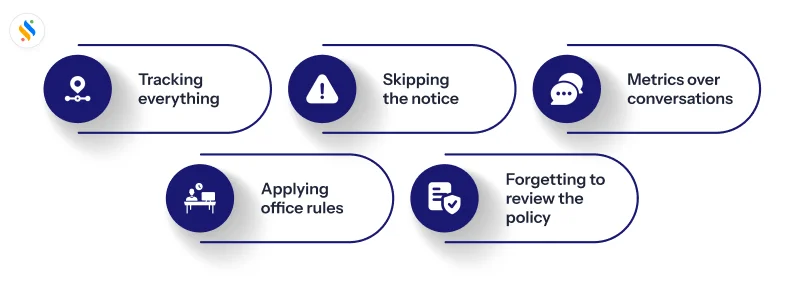
Even well-intentioned monitoring programs fail in predictable ways:
Tracking everything instead of what matters:
More data points don’t equal better decisions; they usually just equal more noise to sift through.
Skipping the notice step:
Rolling out monitoring quietly, then explaining it only when someone asks, reads as surveillance even when the underlying tool is mild.
Letting metrics replace conversations:
A dip in active hours is a prompt to ask a question, not a verdict.
Applying office-era rules to home environments:
Continuous webcam or audio monitoring inside someone’s residence carries a very different risk profile than the same tool in a shared office, and Indian courts have increasingly leaned toward protecting that distinction.
Forgetting to review the policy:
Tools and laws both move fast enough that a monitoring policy written two years ago probably needs a fresh look today.
How to choose the right work-from-home employee monitoring software?
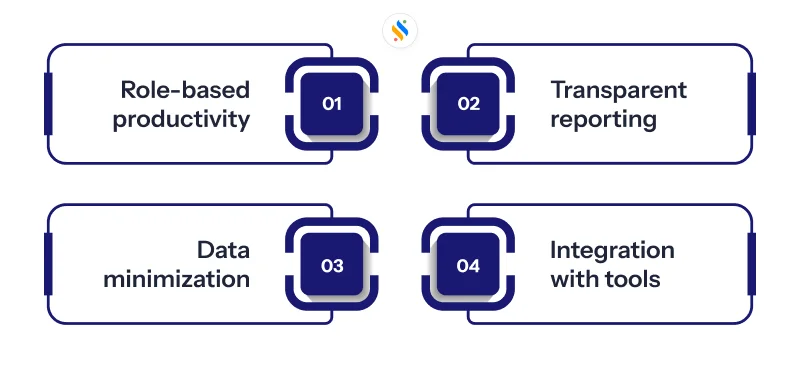
Just because the vendor is selling a tool as work-from-home employee monitoring software, it doesn’t mean that it can also track remote teams’ day-to-day work. And getting the wrong one will directly affect the employees’ trust. That’s why there are certain non-negotiables, and it’s best to have them with you.
Role-based productivity rules:
Employees often misread the definition of “productive vs. idle.” A developer coding for the software and a sales rep on back-to-back calls with the clients will not have the same activity. That’s why the software should let you define what “productive” and “idle” look like.
Transparent reporting that employees can see:
If monitoring data only ever shows up in a manager’s dashboard, it reads as surveillance, no matter how mild the underlying tracking is. The best tools give employees the same visibility into their own activity and attendance reports that managers get, which turns monitoring into a shared reference point instead of a one-way mirror.
Data minimization by design:
Keystroke logging, continuous screen recording, and webcam capture should be the exception, not the default. Good monitoring software is built to collect only what a role’s actual risk requires, and reserves the more invasive features for documented security cases rather than switching them on for everyone.
Integration with tools you already use:
Monitoring data is only useful if it reaches the systems where decisions actually get made. Software that connects directly with attendance, payroll, and project management tools means activity insights feed into reviews and workload planning automatically, instead of sitting in a disconnected dashboard nobody opens after week one.
How Super Track helps you monitor employees who work from home?
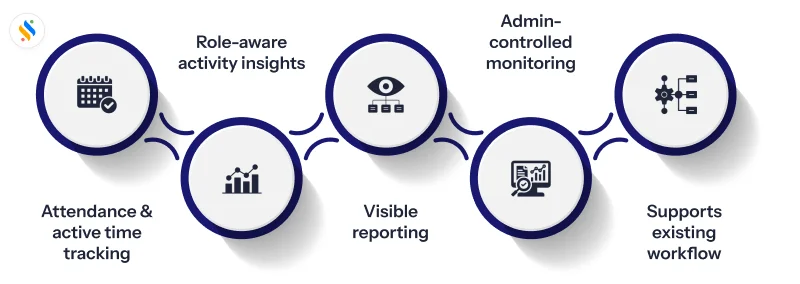
Everything covered in the section above, role-based rules, transparent reporting, data minimisation, retention limits, and integration, is easier to talk about than to actually build into one tool. Super Track, a module of Superworks, bridges that gap, designed specifically for teams that need remote visibility without defaulting to invasive surveillance.
Attendance and active-time tracking, without a separate login:
Because Super Track is a part of Superworks, the attendance data from Super HRMS and the payroll processing from the Super Payroll, clock-in/out data, idle time, and active hours show up next to the attendance records your HR team is already using.
Role-aware activity insights:
Instead of one fixed “productive vs. idle” rule applied to every employee, Super Track lets admins configure what counts as productive activity by role or team, so a writer’s research time and a support agent’s ticket queue aren’t judged against the same yardstick.
Reports employees can see too:
Activity and attendance summaries aren’t locked behind a manager-only view. Employees can check their own tracked hours and activity trends, which keeps monitoring feeling like a shared reference point instead of something happening to them without their knowledge.
Admin-controlled monitoring scope:
HR and IT admins decide what gets tracked and for how long, screen activity windows, retention periods, and who has access to reports, so the program can stay proportionate to what each role actually needs, in line with DPDP-style purpose limitation.
Built to extend your existing workflow:
Because Super Track runs on the same platform as Super Payroll, Super Performance, and the ESS Portal, activity data can feed directly into performance conversations and workload planning instead of sitting in an isolated monitoring tool nobody opens after the first week.
Conclusion
Managing employees is never, was, or ever will be easy. And every HR manager, C-level executive, or SMB founder will attest to that. However, when it comes to tracking their day-to-day work, especially when they are working remotely, it becomes a challenge. As a result, you need a solution. One of the amazing things about this blog is not only to inform you about how to monitor work-from-home employees, but also to track it without becoming a surveillance tool. It is also for how you can have the best tool and what you should avoid in order to make the tool work.
Speaking of the best tool, not every business can afford work-from-home employee monitoring software with hefty price tags. But what if there is a tool that is not only trusted by founders and managers but is also budget-friendly? Super Track, a smart employee monitoring software from Superworks, is something that has gained a reputation for being an employee-friendly software. It offers a set of features that provide real-time updates to managers on what employees are doing, whether they work from the office or remotely.
But the best way to know if Super Track is right for you is by trying it out for yourself, so book your free trial now!
Also see: Hrms software in kolkata










