TL; DR
An employee productivity report should answer three questions a spreadsheet usually can’t: how time was actually spent, what got delivered against goals, and where the day broke down into idle stretches or distractions. This guide covers what a complete employee productivity report template needs to include, why manual tracking rarely gets there, and how Super Track’s built-in employee productivity reporting, performance ledger, focus gap insights, screenshot log gaps, productivity leaderboard, and activity timeline are all of it is available at your disposal!
Let’s take up a challenge!
Put five managers from different sectors in the room, and ask them one simple question –
“How did you track your team’s productivity last month?”
It’s obvious that you will get different answers, but the one that has been most common is gut feelings.
This has been the most go-to answer of managers who massively rely on their gut feelings and very little on data.
Someone “seemed” busy, or someone “seemed” to be coasting. Now, there is nothing inherently wrong with it; the issue is that “seeming” something doesn’t give you the clarity you need to make informed decisions.
Hence, the employee productivity report is essential because it eliminates guesswork and highlights areas that need attention. Apart from that, it also shows what got done, how the day was spent, and where it slipped.
The trouble is, most teams either skip this entirely or try to patch it together with a spreadsheet. Neither gets you reporting you can trust. What actually works is built into how the work happens, and this blog is all about that and everything in between!
Where does the manual way of tracking break down?
To begin with, they are the legacy systems. They didn’t evolve with time. And to a certain degree, they are not a bad idea, because every employee productivity report template starts exactly this way. The problem is that spreadsheets and manual ways are extremely tedious, time-consuming, and error-prone.
And once the error shows up, your HR team needs to put a lot of their time and effort into identifying those errors and fixing them, so that they don’t affect the payroll processing.
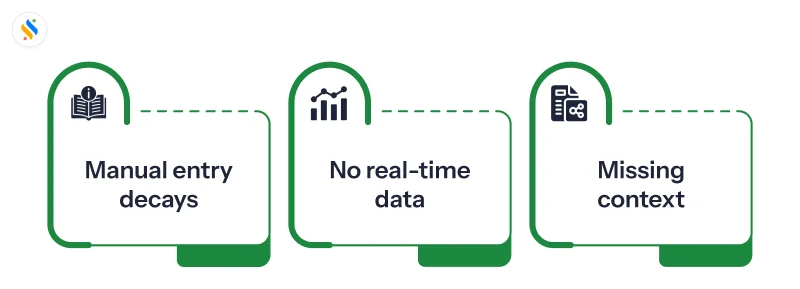
Manual entry decays:
People forget, backfill from memory, or round numbers. Data quality drops exactly when you need it most during a busy sprint or a deadline crunch.
There’s no real-time signal:
A weekly log tells you someone was overloaded last week. By the time anyone reads it, the burnout risk or missed deadline has already happened.
Time without context is just a number:
Knowing someone worked nine hours tells you nothing about whether those hours were focused or fragmented across constant interruptions, which is usually the more important detail.
This is the gap most growing teams hit somewhere between 15 and 40 employees, where reporting moves from “useful habit” to “the thing nobody trusts anymore.”
What is an employee productivity report?
An employee productivity report is a structured snapshot of how someone’s work hours translate into output over a set period, a day, a week, or a month. It’s different from a timesheet, which only answers “how long did you work?” A productivity report answers a more useful question: “What did that time produce, and where did it leak?”
Done well, it gives you three things at once:
For employees:
A fair, accurate record of what they accomplished, useful during appraisals and one-on-ones instead of relying on memory.
For managers:
Early visibility into workload imbalance, stalled tasks, and which parts of the day get eaten by distractions or back-to-back meetings.
For leadership:
A trend line across teams and departments, instead of one-off anecdotes about who “seems busy.”
What is included in the employee productivity report template?
If you’re putting together an employee productivity report template for what your software should track, it needs to go beyond hours logged.
A template that only captures clock-in and clock-out time tells you someone was present, not that they were productive.
Here are the components that an employee productivity report template should include:
| Fields in the Template | Information That Goes Into It |
|---|
| Employee Name & Department | Identifies who the report belongs to and which team to group it under. |
| Reporting Period | The day, week, or month the data covers, needed to compare reports over time. |
| Tasks or Projects Worked On | A short description of what was actually worked on, not just “worked.” |
| Hours Logged vs. Active Hours | Total time clocked in against time genuinely spent working. |
| Task or Goal Status | Whether each task is done, in progress, or blocked. |
| Idle or Break Time | Gaps in activity during work hours, with context if available. |
| Manager Notes or Remarks | Space to flag anything the raw numbers don’t explain on their own. |
What should a good employee productivity report show you?
Before you trust any report, it should be able to answer these questions without you having to chase anyone for clarification:
| What should it show? | Why does it matter? |
|---|
| Time worked vs. active time | Hours logged and hours actually spent working are rarely the same number. |
| Tasks or output completed | Connects effort to outcome instead of just measuring presence. |
| Status against goals | Tells you who is on track and who may be quietly falling behind. |
| Where the day broke down | Idle time, distractions, and context-switching often explain more than a missed deadline alone. |
| Trend over time | One bad week means little; recurring patterns over multiple weeks indicate a real issue. |
| Comparison across teams | Helps identify which department needs support before it impacts delivery and performance. |
Most manual logs only manage the first two. The rest needs to come from how the work actually happened, not from someone remembering to write it down after the fact, which is exactly where self-reported tracking falls apart.
Still building productivity reports in spreadsheets?
Get real-time visibility into how work happens without chasing updates from your team.
How to read and act on employee productivity reporting data?
Having the data is only half of it. A few habits make the difference between reports that sit unread and reports that actually change how a team works:
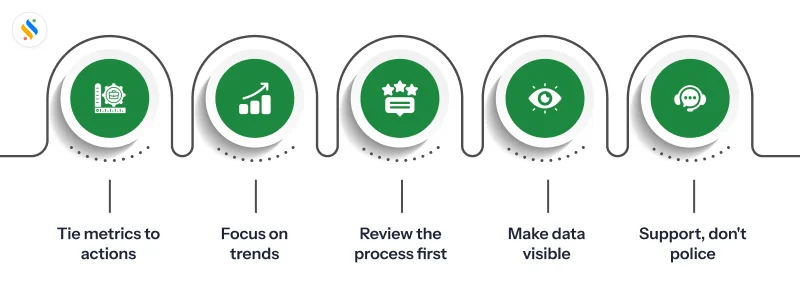
Anchor every number to a decision:
If a metric wouldn’t change what you’d do next week, it’s not worth dwelling on.
Look at trends, not single days:
One slow day is noise. The same pattern across three weeks is a signal.
Check the process before judging people:
A drop in output is often a workflow problem before it’s a performance problem.
Share it both ways:
Employees who can see their own data tend to trust the process more than those who only hear about it in a review.
Use it to support, not to police:
The goal of employee productivity reporting is to catch workload and focus issues early, not to create a culture of being watched.
How does Super Track make employee productive report effective?
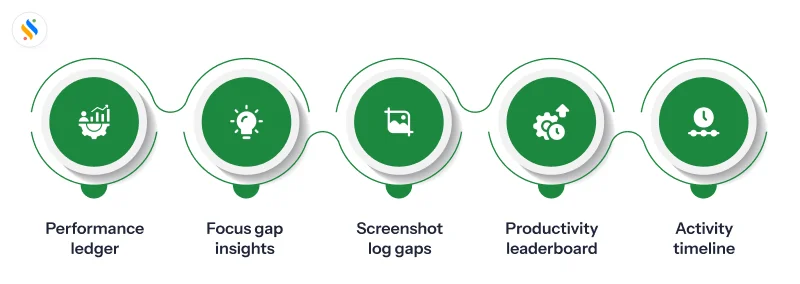
Manual tracking breaks down because it depends on people remembering to log their own day. Super Track is an employee monitoring software that closes this gap not by adding another form for people to fill in, but by building the report directly from how work actually happens. Super Track’s employee productivity report feature is made up of five pieces that, together, cover everything a manual log usually misses.
Performance ledger:
A monthly rollup of productivity levels, task completion, and work patterns for every employee – compiled automatically, without anyone spending an afternoon building a summary by hand.
Focus gap insights:
Idle time and lock-time data for individuals and teams, so you can see exactly where the day is fragmented instead of relying on someone to self-report a blocker after the fact.
Screenshot log gaps:
Flags any missed screenshots so monitoring stays continuous and there are no quiet blind spots in the record, useful for compliance as much as for trust in the data itself.
Productivity leaderboard:
A straightforward view of your most and least productive employees by department, so you can recognize strong performers and support the ones who are struggling, without singling anyone out manually.
Activity timeline:
A real-time feed of ongoing tasks and engagement, the one thing a weekly or monthly report can never give you, because by definition, it’s always looking backwards.
Put together, this is what turns “we think the team was productive” into “here’s exactly where the time went, and here’s what came out of it.”
Conclusion
For a long time, whether it is tracking attendance, leave, shifts, or productivity, everything has been managed through spreadsheets. HR and managers have an employee productivity report template that contains basic fields, and they start inserting data into it. The problem is that spreadsheets are error-prone. If any error crops up, whether big or small, it will take away a great deal of your HR and managers’ time.
A real employee productivity report earns trust by being accurate without anyone having to maintain it. Once you can see time, output, and focus gaps in one place, the conversation shifts from “what did you do today?” to “here’s where we can actually help” – and that shift is what separates a report people dread filling out from one that actually changes how a team works.
Ready to see it in action? Explore Super Track. Start your free trial today!