TL; DR
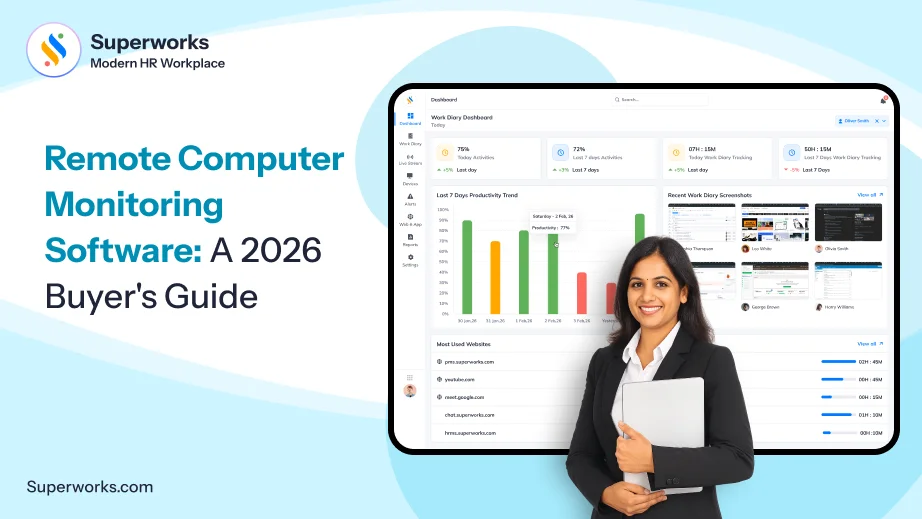
Remote computer monitoring software gives HR managers and SMB founders visibility and eliminates guesswork. It actually shows how employees are working across their websites and web apps. In addition to this, it also shows active hours, idle time, and so on, with screenshots. Remote screen monitoring software is the more specific slice of that, focused on live or recorded screen views rather than just activity logs. The tools below differ mainly in three ways: how useful the data is for managers, how little friction it adds for employees, and how well it holds up against local privacy expectations. Pricing, screenshot defaults, and payroll or HRMS integration also vary a lot between vendors, so we’ve confirmed what we could for each one rather than repeating marketing claims. And if you have an employee monitoring software like Super Track, employee monitoring not just becomes efficient but transparent too.
If you’re an HR, a manager, a C-level executive, or an SMB founder with a sizeable distributed team, I have a question for you.
How many times in the past few months have you Googled, remote computer monitoring software. Pretty sure you must have seen how much the category is crowded, the marketing claims sound identical, and almost nobody talks about what actually changes once the tool is live on your team’s machines.
This guide skips the fluff. It breaks down what remote computer monitoring software actually does, what separates it from basic remote screen monitoring software, which tools are worth a serious look, and how to roll one out without torching team trust.
What “remote computer monitoring software” actually covers?
Remote computer monitoring software tracks activity on a company-owned device regardless of where that device physically sits.
For a distributed or hybrid workforce, that means managers get the same visibility into a remote employee’s workday.
Most platforms in this category combine a few core capabilities: time and attendance, active/idle detection, app and website usage, and some form of visual record (screenshots or live screen views).
Remote screen monitoring software specifically refers to that last piece. This means it has the ability to see, capture, or replay what’s actually on someone’s screen.
Why does this decision belong to HR and leadership?
IT can install the agent. They can’t avoid the consequences. That falls on HR, the manager running the team, and the founder or executive who has to defend the spend and the policy if someone pushes back.
For HR:
This is a policy and trust question first, a technology question second. You’ll need a documented monitoring policy, clear consent language, and a plan for how data gets used in performance conversations – not just collected.
For managers:
The value isn’t surveillance, it’s pattern recognition. Who’s consistently overloaded? Where are the unexplained idle gaps? Which tools are eating hours without adding output? Good remote computer monitoring software answers those questions without requiring you to watch a live feed all day.
For founders and C-level executives:
The real ROI is risk reduction and informed scaling. You can hire across time zones with confidence, catch burnout before it becomes attrition, and make resourcing calls based on actual usage data instead of gut feel.
Still wondering how your team is working the entire day?
Track work hours, app usage, and productivity and that too without spreadsheets.
The best remote computer monitoring software out there right now!
Here’s where most “best of” lists either oversell every entry or quietly bury the comparison. We’re keeping this factual – confirmed features only, no inflated claims either way.
Super Track
Super Track is built as part of Superworks’ ecosystem. It covers real-time activity overviews, app and website usage tracking, idle/active time, work-diary screenshots, and department-level productivity reports – and because it is integrated with Super HRMS, Super Payroll, and Super Project, monitoring data doesn’t need a separate export or manual reconciliation to feed into attendance or performance records. It’s designed for in-office, remote, and hybrid teams alike, with a 15-day free trial and no credit card required to start.
Hubstaff
Hubstaff pairs time tracking with productivity monitoring and workforce analytics, and it’s one of the few tools in this list with native payroll and GPS/geofencing built in – a strong fit if you manage field or hourly teams. Screenshot capture is optional and configurable per user rather than switched on by default. Hubstaff offers a free tier for individuals, alongside paid plans that scale with team size.
ActivTrak
ActivTrak leans into workforce analytics over raw surveillance. By its own design, it doesn’t capture screenshots, detailed window titles, or URLs by default — that level of detail sits behind a separate Screen Details add-on, which is a meaningful difference if your priority is lightweight productivity insight rather than detailed activity logs. It offers a free plan for up to three users.
Time Doctor
Time Doctor’s monitoring is built around “screencasts” – periodic screen captures tied to time-tracking sessions — plus website and app categorization by productivity level. It also markets itself around compliance support for frameworks like GDPR and HIPAA. There’s no permanent free tier, but a 14-day trial is available without a credit card.
TimeCamp
TimeCamp keeps screenshots optional and explicitly non-invasive: when enabled, it captures a screen image every 10 minutes, visible only to admins and supervisors. It includes idle-time detection and a genuinely free plan (not just a trial) with unlimited projects, though payroll and HRMS features aren’t part of its core offering.
We360.ai
We360.ai is an India-built platform with a strong emphasis on live screen visibility – its “Livestream” feature lets managers view employee screens in real time, alongside scheduled screen recording and app/website tracking. It’s a closer match if “remote screen monitoring software,” specifically the live-view kind, is your primary requirement rather than broader workforce analytics.
Teramind
Teramind sits at the more security-heavy end of the spectrum, with screen recording, keystroke logging, and insider-threat detection aimed at regulated industries. It’s a capable tool if data loss prevention is the priority, but there’s no free plan, and pricing typically requires a minimum number of seats.
What to look for in a remote computer monitoring software before signing up for one?
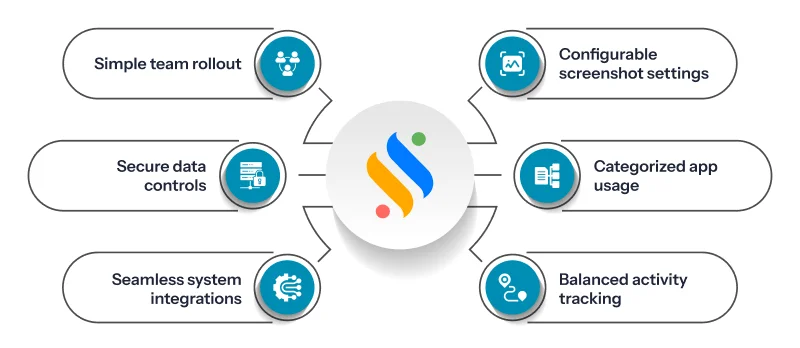
Strip away the marketing pages, and most remote computer monitoring software competes on the same handful of factors. Here’s what actually matters when you’re evaluating for a real team, not a demo environment:
Configurable screenshot and screen-capture settings:
You want the ability to set frequency, blur sensitive content, and exclude personal time — not an all-or-nothing toggle.
App and website usage that’s categorized, not just logged:
Raw logs of every URL visited are noise. Productivity tagging turns that into something a manager can act on in five minutes.
Idle and active time tracking that accounts for legitimate breaks:
A tool that flags every five-minute pause as “idle” will generate more disputes than insights.
Integration with the systems you already run:
If your monitoring data lives in a silo separate from attendance, payroll, and performance reviews, someone has to manually reconcile it — and usually nobody does.
Clear data retention and access controls:
Who can see screenshots? For how long are they stored? This matters for compliance as much as for trust.
A rollout path that doesn’t require an IT project:
Small and mid-sized teams especially need something employees can self-install in minutes, not a deployment that needs a dedicated administrator.
Step-by-step implementation checklist for rolling out monitoring software
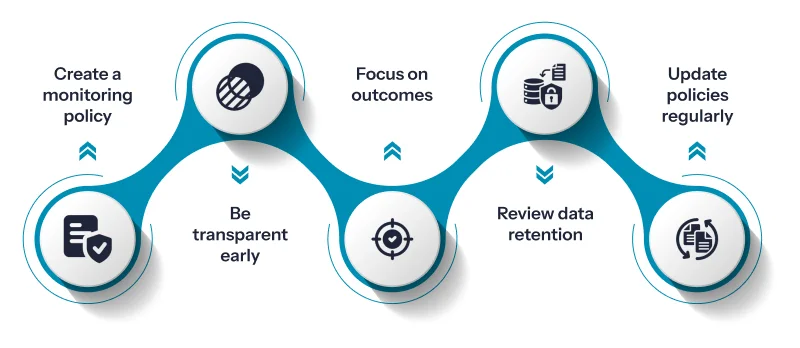
By now, it must be clear that getting the software is easy. However, where most companies fail is in their implementation. This section will talk about the steps that will make the implementation of the tool easy:
1. Write the policy before you install anything:
Spell out what’s tracked, why, who can see it, and how long it’s retained.
2. Tell employees directly. Don’t let them discover it:
Transparency upfront prevents the trust damage that comes from feeling watched in secret.
3. Tie monitoring to outcomes:
Use the reports generated from the software to identify productivity bottlenecks, not to police bathroom breaks.
4. Review your retention settings against local law.
Privacy regulations differ by country and even by state, so confirm your setup with legal counsel rather than assuming the vendor’s defaults are compliant everywhere you operate.
5. Revisit the policy after some time:
What you configured on day one rarely fits how the team actually works after a few months in.
Conclusion
When someone says, “remote computer monitoring software,” one often understands it as a tool that monitors the screens of remote teams. However, it isn’t really about watching screens. It’s about giving managers the context they lose once a team goes beyond working from the office. When it comes to monitoring the remote workforce productivity, the right employee monitoring software eliminates guesswork and brings visibility – where employees’ time actually goes and where they are stuck. Whichever platform you land on, the gap between adoption and resentment usually comes down to transparency.
That said, if you’re already juggling HR, payroll, and attendance across separate tools, it’s worth asking whether your monitoring software should be one more disconnected app or part of the same system. But interestingly, that’s the gap Super Track is built to close. Real-time activity views, productivity reports, and work-diary screenshots that sit inside the same ecosystem where Super HRMS, Super Payroll, and Super Project, so the data actually gets used instead of sitting in a tab no one opens. If that’s the kind of setup you’ve been missing, book a free Super Track trial and see it for yourself, no pressure!










