Remote work sounded fun at first, right?
Work in pyjamas, keeping the tab of Netflix and Spotify open, have snacks whenever you want, and avoid that one senior who keeps calling you to his cabin.
This is not possible when you work from the office.
But then,
How do you even know what your team is doing out there? Are they completing tasks or bingeing on their favourite seasons? Is that “deep work mode” or “afternoon nap mode”? Nobody knows.
And personally, a green dot on Slack isn’t a symbol of productivity.
So yes!
Tracking remote employee productivity is no less than a mystery. But don’t worry, with the right employee monitoring software and strategic business approach, you can actually manage your remote team without losing your mind.
And this blog is your guide to solving this mystery…once and for all.
Challenges in measuring productivity for remote workers:
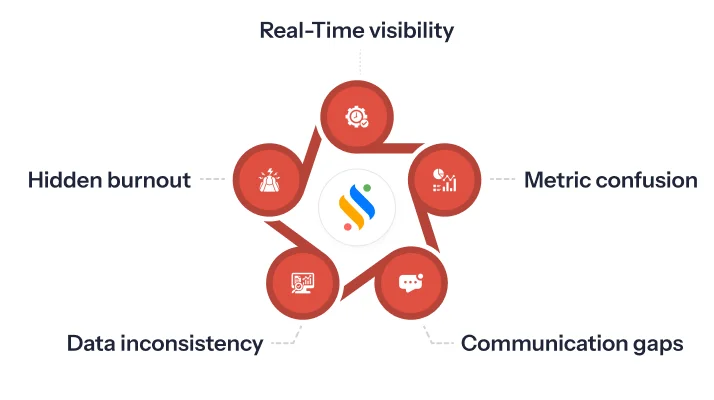
Lack of real-time visibility:
Honestly, managing people working from home is way trickier than it sounds. One big headache is that you just don’t see what they’re doing in real-time. Back in the office, you could kinda eyeball who’s on top of their work, who’s slacking, but remote? Not so much. Screenshots, time logs, chats…They help, but they’re not the same as actually seeing things happen live.
Difficulty in defining metrics:
Defining what “productive” even means is another pain in the neck. Like, in an office, it’s obvious – did they finish their tasks? Did they hit their targets? But when people are remote, it gets fuzzy. Do you measure hours logged, tasks completed, or just how often they reply to messages? Every team’s different, every role’s different, and trying to pin down a one-size-fits-all metric just feels impossible.
Communication barriers:
Communication gets peculiar when everyone’s remote. Something that used to take 30 seconds to clarify in person can turn into long message threads and “Can you hear me?” calls. Replies get delayed, messages get lost, and you often can’t tell whether someone is confused or just busy. And honestly, half the misunderstandings happen simply because tone doesn’t translate well over chat.
Burnout:
This one’s tricky because burnout sneaks up on remote workers quietly. Since they’re at home, they end up mixing work and life way too much – answering messages at odd hours, skipping lunch, stretching deadlines till late at night… and managers can’t even see it happening. This leads to burnout, affects the physical health, and the overall well-being of employees.
Inconsistent data:
The remote work model makes data messy. It’s true! One person logs time correctly, another forgets half their punches, someone else uses a different tracker, and suddenly, nothing matches. Some tools measure activity, others measure tasks, others just show green dots on Slack — and none of it really tells the full story. So managers end up trying to piece together a bunch of scattered information and hoping it makes sense. Spoiler: it usually doesn’t.
What is a remote employee productivity tracking tool?
A remote employee productivity tracking tool helps managers understand how work is happening from home – with actual data instead of guesswork. It shows how time is spent, highlights slowdowns, keeps work secure, and supports employees to stay on track without burnout. In simple terms, it’s like a helpful digital assistant that helps the remote workforce work smoothly, without micromanaging.
Key functions of the remote employee productivity tracking tool
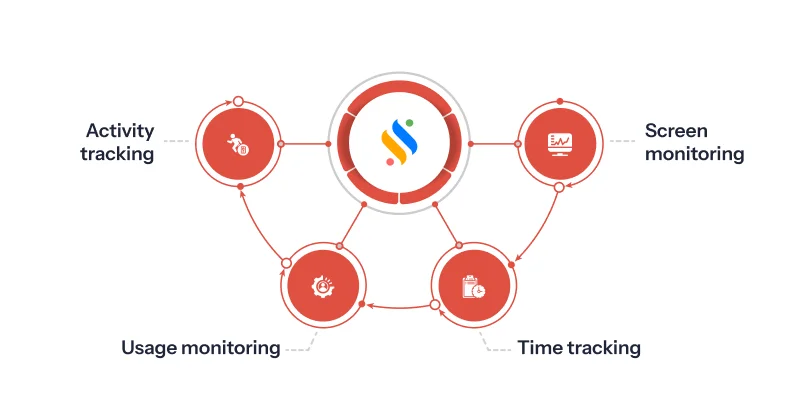
To let you know what its core functions are:
Screenshot/screen-recording:
It captures quick screenshots or short screen recordings to show work progress—not for spying, but to understand tasks better and ensure nothing gets missed.
Automated time tracking:
The main thing with a remote employee productivity tracking tool is that it tracks time automatically. Like, you don’t have to keep telling it “hey, I’m working now” or anything; it just knows and keeps tabs on how long people are spending on tasks. Then, it also gives you a peek into what everyone’s actually doing.
Application & website usage monitoring:
Another thing it does is keep an eye on which apps and websites people are actually using while they’re “working.” Not in a creepy way, but more like just knowing where the time is going. It helps you spot patterns, identify distractions, and keep people on track without micromanaging your team.
Activity tracking:
Then there’s activity tracking, which is basically monitoring what people are actually doing on their systems. Like, it can tell if someone’s typing, clicking around, or basically just sitting idle. It’s not about being nosy. It simply shows who’s actively working. It gives a real picture of productivity and helps identify where someone might need support.
Remote productivity tracking is now easy!
See how your remote team works without micromanaging.
Benefits of integrating the remote employee productivity tracking tool
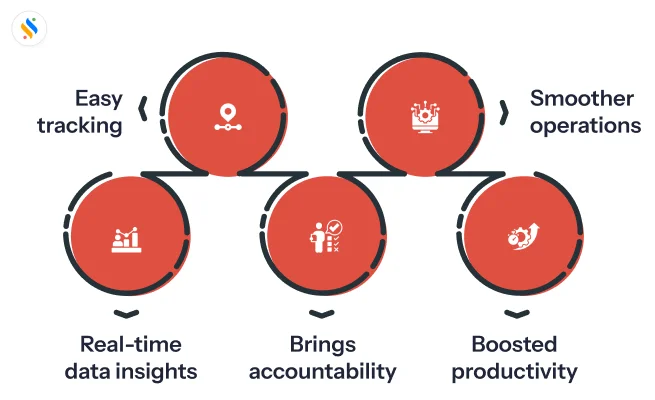
Streamlines operations:
Well, first off, it really helps to streamline operations. Think about it, everyone’s working from different places, sometimes you don’t even know what’s going on, right? With a tool like this, suddenly you can make the whole workflow a lot less chaotic.
You don’t have to chase people for updates, spreadsheets stop piling up everywhere, and honestly, things just run smoother. It’s not perfect, but compared to the old “I hope they did it” way, it’s a huge relief.
Enhances productivity:
When you plug in a remote productivity tracking tool, things just… get clearer. You clearly see who’s doing what, what’s progressing, and who’s stuck. This way, employees stay focused, and delays or distractions become easy to spot and resolve.
Makes the team accountable:
With a tracking tool, people naturally stay more focused because their work is clearly visible and documented. No more vague updates or guessing – tasks, deadlines, and progress are all transparent, so everyone knows exactly what’s happening.
Provides data-driven insights:
The coolest part is that you start getting actual numbers instead of instincts. Like, instead of guessing who’s overloaded or who’s chilling a bit too much, the tool literally shows you trends – productivity peaks, slow days, which tasks eat up time. You look at the data and go, “Ohhh, that’s why deadlines slip.” It helps teams make better decisions without arguing based on opinions, because well… the data’s right there staring at you.
Project tracking becomes easy:
Once you have the tool in place, tracking projects becomes way less of a headache. You don’t have to chase people in chats asking “hey, update?” every few hours. You can literally open the dashboard and see what’s going on in real-time.
Best practices for measuring the productivity of remote workers
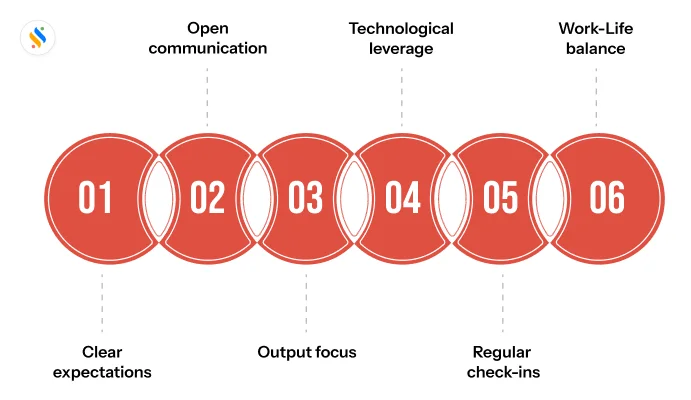
So that managing remote teams shouldn’t be a challenge for you!
Define your goals and expectations:
Clarity = Chaos-free.
No. This is not some mathematical formula. It is the first step of managing remote teams. Keep the goals specific, measurable, achievable, relevant, and time-bound, so managing becomes easy.
Transparent communication is key:
Imagine your employees’ disappointment if they come to know that their activities are monitored without informing them or taking their consent. It’s best that you try to attempt such a thing and establish an open communication.
Focus on output as well:
In workforce management, the outputs are often measured from the insights generated from activity tracking. But that is when the team works from the office, and not from their homes. Make sure that when you measure results, it shouldn’t be solely based on the time they spend online.
Leverage technology:
There is no point in doing productivity tracking manually or outdated process. It will be 2026 soon, and AI is here to stay. Use advanced employee monitoring software that helps you monitor productivity levels. It centralises all your team’s details and provides you with insights into their productivity on a dashboard. You can also generate employee productivity reports in real-time.
Regular check-ins:
Have weekly or bi-weekly check-ins to review progress, discuss challenges, and adjust priorities. Keep it open and simple, and use feedback to keep your team motivated and aligned.
Promote work-life balance:
Lines get blurred easily the moment your team starts to work from home. Suddenly, lunch breaks become answering-one-more-email time, and evenings turn into “just finishing this task real quick”, which never ends. Before you know it, burnout creeps in. Encourage your team to exercise work-life balance in their lives. This will actually keep them more productive in the long run.
Conclusion
Here’s a thing – managing remote teams doesn’t have to feel like solving a puzzle in the dark. When you find the hack to manage it effectively, you don’t need to hover over them, and remote work becomes smoother, faster, and far more efficient. If you want to manage remote teams confidently, reduce chaos, and gain accurate productivity insights, the best HRMS & payroll software in India>, Superworks, brings you a solution that you can trust every single day: Super Track, a smart and robust employee monitoring software that you can rely on to monitor and manage your remote team’s productivity. Start your free trial now!










