TL; DR
Workforce analytics turns scattered HR data into actionable information, based on which one can make informed decisions. Done well, it cuts hiring costs, flags retention risks before they become resignations, and keeps headcount aligned. The field is shifting fast, too! AI-generated insights, sentiment tracking, and tighter data privacy rules are all reshaping how teams use it. When it comes to software for it, there’s no single “best”. Some tools are built for day-to-day productivity visibility, while others focus on long-range headcount planning, so the right pick depends on which problem you’re actually solving. This blog is an attempt to answer all your questions regarding workforce analytics
Imagine your best project manager has submitted his resignation, two more people are quietly job-hunting, and the new client work landing next month needs skills nobody on the bench currently has.
It looks like you are going through this, right?
Most HR teams find out about gaps like this the hard way after the resignation letter, not before it. Decisions about hiring, training, and headcount end up running on gut feel and last quarter’s spreadsheet, simply because nobody had the right data at the right time.
Here’s the thing: that data already exists. It’s sitting in your attendance logs, performance reviews, and productivity reports. It just needs to be pulled together and read correctly.
That’s exactly what workforce analytics does.
What is workforce analytics: An overview
Workforce analytics is the systematic collection and analysis of employee data to optimize human resources, boost productivity, and improve performance. What workforce planning analytics does here is that it applies these same principles to one specific job: aligning your headcount and skills with where the business is headed.
Types of workforce analytics
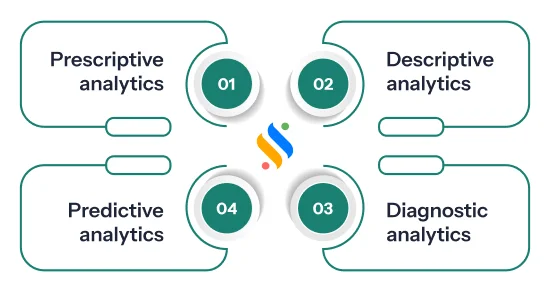
Now that you know what workforce analytics is, let’s take a look at the types of it:
Descriptive Analytics:
Descriptive analytics shows your organisation’s past and current workforce data. It provides important insights into data related to retention, turnover, absenteeism, etc. Despite being the simplest type of analytics, they don’t provide context or cause for outcomes. It’s effective to get a quick overview of workforce productivity.
Diagnostic Analytics:
Diagnostic analytics looks for the “cause” that makes your workforce metrics effective. It evaluates the overall data of your organisation and presents you with the complete picture of your existing business environment. One of its biggest advantages is that it gives you the complete information you need to make informed decisions.
Predictive Analytics:
As the name suggests, this analytics primarily uses historical data to predict the outcomes of your workforce. It uses past trends and patterns to assess the future risks and opportunities. The analytics are extremely beneficial for predicting skill gaps and talent supply that may pose problems in the near future.
Prescriptive Analytics:
What this analytics does is that it goes beyond predictive analytics. It not only evaluates historical data, but also provides the best course of action for your business. It uses advanced modeling to suggest the highest-impact solutions. This analytics eliminates guesswork and offers actionable strategies to achieve objectives.
Why does workforce analytics matter to businesses?
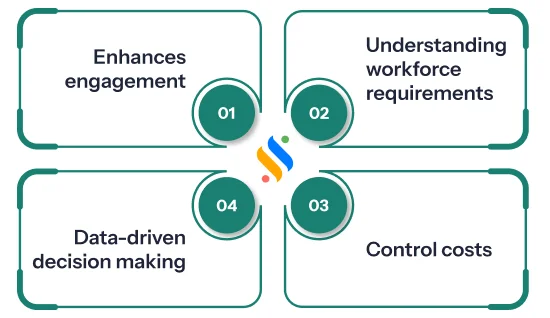
Effective in understanding workforce requirements:
At the core of workforce analytics is that it identify workforce gaps. By forecasting future workforce trends, companies can position where they can forecast the requirements, offboarding, or turnover and take proactive steps.
Controls costs:
When you compare your staffing levels with actual demand, you come to a position where you can prevent both overstaffing and understaffing. This balances payroll costs while making sure there are enough people to handle customer and project needs.
Data-driven decision-making:
Having an intuition and gut feeling is good, but the problem is that it has a limit. It won’t help you in the long run. Data from workforce analytics provides a reliable foundation for decisions about hiring, promotions, or training. This ensures choices are tied to measurable business needs.
Enhances engagement:
Analytics highlights trends like high turnover. Early detection enables you to retain skilled talent instead of constantly hiring new employees or looking for replacements.
Drawbacks of workforce analytics
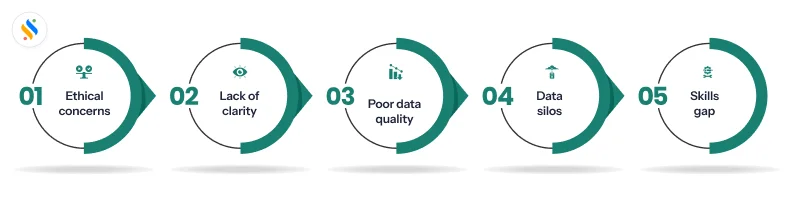
Workforce planning analytics has several drawbacks, too. Let’s understand them:
Ethical concerns:
There are also ethical and compliance issues with workforce planning analytics that can’t be ignored. If you are a manager or an HR, it is your sole responsibility to ensure that employees’ data is completely secure. Then there is compliance. Employers often fail to establish clear communication with their staff regarding what data will be gathered and how it will be gathered. This keeps the workforce in the dark.
Lack of clarity:
There is no denial that workforce planning analytics is critical in organizational decision-making. But don’t take it as an instant and effective solution. It is a lack of clarity when you try to solve issues of attrition, retention, onboarding, and others simultaneously. This makes the entire analytics complex.
Poor data quality:
Imagine if the data you contain is actually inconsistent, incomplete, or inaccurate? Even you know the result. Poor data quality generates flawed analysis and results. On top of that, if your data is stored across different platforms, chances are that it can also lead to poor data quality.
Data silos:
Data silos create inconsistencies. It happens because each department collects and reports information in its own way. Bringing that data together takes time, and the effort often stretches already limited resources. Breaking down silos isn’t simple either. The process is expensive and slow.
Skills gap:
Evaluating and interpreting workforce metrics is highly complex. Many HR teams and traditional business leaders lack the necessary statistical or data-literacy skills to glean actionable value without misinterpreting the numbers.
Planning tomorrow’s workforce starts with understanding today!
Get the productivity and activity data and gaps before they become problems.
7 steps to implement workforce analytics in your business
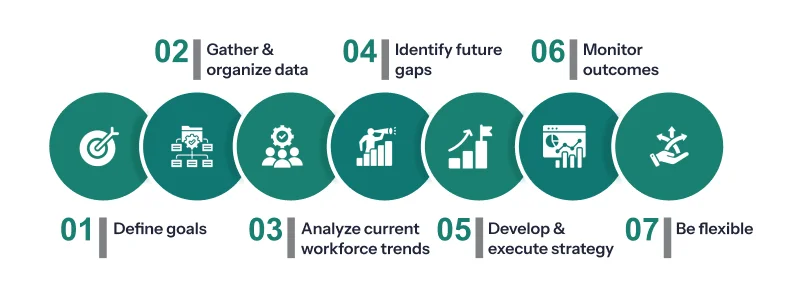
These steps will assist you in implementing workforce analytics in your workspace.
Define your goals and KPIs:
You must have absolute clarity about your organisational goals to begin with. Having SMART goals can help you align them with workforce planning analytics. Apart from this, you should also have clarity about the KPIs you’re going to use. Key metrics include employee turnover rate, retention rate, gap analysis, etc.
Start gathering and organising data:
Now, the next step is data collection. Instead of gathering unwarranted data, it’s best to get the best ones. Fortunately, you can do it by leveraging employee monitoring software that gives you real-time data with ease, which helps to make data-backed decisions.
Analyse your current workforce trends:
Next is to analyze the data and identify trends. Figure out answers to questions like
- How do productivity levels compare across teams and roles?
- Which applications do employees use most and least?
- Has employee turnover changed over time?
- What about retention rates?
Using the 4 analytics that we discussed above will help in getting a clear picture.
Identify future gaps:
Is your organisation protected for future changes? If not, evaluate your goals again. Identify the gaps that are coming between your current situation and future requirements.
- What are the productivity levels of your organisation?
- Are there skills and talent gaps? If yes, what’s your strategy to address them?
- Which skillset are you looking to hire in the future?
When you address such questions, you’ll be able to identify gaps easily.
Develop and execute your strategy:
Once you’ve identified the gap, design a strategy to execute it. Predictive analytics is an analytics that can help you. You can also opt for prescriptive analytics for a strategic and effective action plan. Apart from that, you can also roll out new website and app usage policies to increase productivity.
Monitor your outcomes:
Merely using analytics and executing the strategy is not enough. You need to be consistent in monitoring the outcomes of your strategies. Along with that, make a timeline for reviewing the analytics and share it with your stakeholders.
Be open to flexibility:
No strategy lasts. Once you finish reviewing the data and you witness that there are no desired results, be ready to make changes. Evaluate the process again, detect the errors, fix them, and begin once again. The key is to refine your strategy until it actually delivers.
Workforce analytics trends that you should look out for!
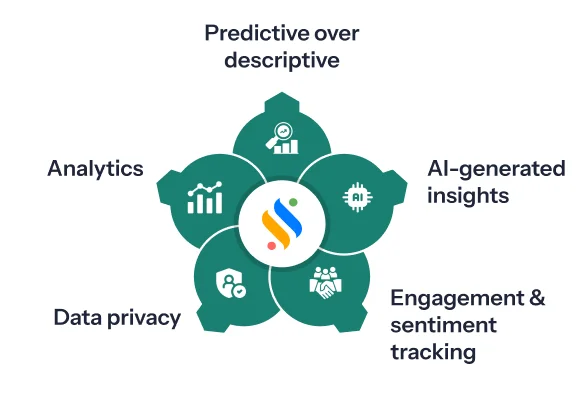
A few shifts are shaping how companies use workforce analytics right now:
Predictive over descriptive:
Teams are moving past “what already happened” dashboards toward models that flag skill gaps and attrition risk before they show up in turnover numbers.
AI-generated insights, not just AI-collected data:
Apart from visualizing data, the recent wave of AI tools summarizes it, surfaces anomalies, and suggests smart strategies. This cuts down the manual process that used to eat up a lot of HR’s time.
Engagement and sentiment tracking alongside productivity:
Pure activity metrics are increasingly paired with engagement signals, since productivity data alone tends to miss burnout risk until it’s already a retention problem.
Tighter data privacy controls:
As monitoring and analytics tools collect more granular data, transparent policies and role-based access controls have become a baseline expectation, not a differentiator.
Analytics built into core HR systems:
Rather than bolting on a separate analytics suite, more companies are choosing platforms like Super Track, where the data is already there and doesn’t need a second integration layer.
Best workforce analytics software worth checking out!
Here’s the thing – there’s no single “best” tool. It depends on whether you need productivity visibility, headcount planning, or org-wide HR analytics. Here’s how the major players in this space differ:
- Super Track: Best for teams that want productivity and activity analytics built into their everyday HRMS workflow, with live activity tracking and productivity reports that don’t require a separate analytics platform.
- ActivTrak: Best for pure productivity tracking and behavioural monitoring across distributed teams.
- Teramind: Best for hybrid teams that also need insider-risk and data-loss monitoring alongside productivity insights.
- Visier: Best for real-time, pre-built HR dashboards at the enterprise level.
- Crunchr: Best for HR teams that want scenario planning layered on top of workforce insights.
- Workday: Best for large organizations already running their HCM stack and wanting analytics natively inside it.
- ChartHop: Best for headcount planning and org-chart-driven workforce visualization.
Wrapping up
You now know what workforce analytics looks like in practice, which tools handle it, and where the field is heading. But workforce planning analytics is more than just about numbers. It connects big business goals with the people who can make them happen. When you understand your workforce more deeply, you give your company an edge over the competition.
If you also want to make your HR practices simple and workforce management efficient, you must try Super Track, a smart employee monitoring software. It gives you clarity on your people, helps you predict tomorrow’s needs, and makes planning a reliable process. Don’t just react to workforce challenges. Get ahead of them. Get your free trial now!










