
Payroll day is a headache for many HR professionals, as they have to spend time exploring spreadsheets, manually check all calculations, and wonder if all employees were paid fairly.
But with payroll software, the situation is a bit different. Businesses can simplify salary disbursement, salary deductions, generating payslips, and creating reports. But only getting payroll software won’t solve the problem.HR and finance teams must know how to use it and the steps to follow before running payroll. So, if you are looking for how to run payroll, then this guide is for you.
What Is Payroll Software?
In simple terms, payroll software is a digitized system that aids businesses in managing and automating payroll related activities.
So instead of calculating salaries manually using spreadsheets, HR and finance teams can make use of payroll software to keep employee information centralized, configure salary structures , calculate payroll, manage deductions , generate payslips and maintain payroll records.
As per the software, you might also have to integrate it with different HR features like:
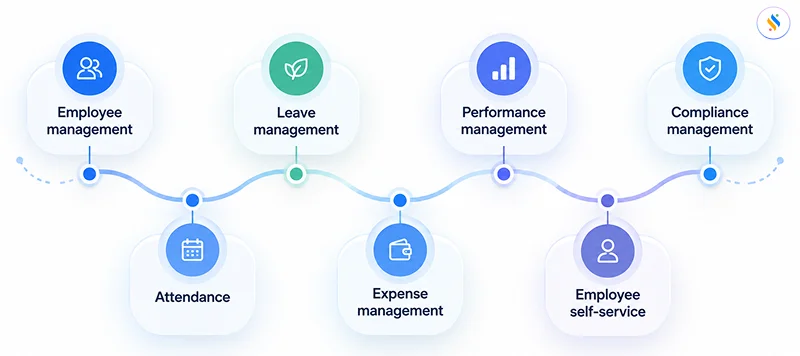
The exact features might differ as per payroll platforms, so businesses must choose a software based on their payroll requirements, employee strength, salary structures, and compliance needs.
Why Should One Use Payroll Software to Run Payroll?
Before discussing how to run payroll using a payroll software one must know why people are no longer proceeding with manual payroll.
Reduce Manual Calculations
One thing we all know is payroll involves various calculations related to earnings, deductions, attendance, leave and various other salary components.
Payroll software can ease all these repetitive calculations once all the required details are configured properly.
Centralize Payroll Data
Instead of managing employee details across various spreadsheets and files. Payroll software helps to manage the complete data at a centralized location for information.
Connect Attendance and Leave
If payroll software has attendance and leave details integrated, approved attendance data could be used as an input for payroll. This helps to reduce repetitive data entry.
Generate Payslips Automatically
Once payroll is locked, the system has the capability to generate employee payslips without any help from the HR team.
Improve Payroll Visibility
Payroll dashboards and reports assist the HR and finance team to have a look at the payroll information before the payments are processed.
Save Administrative Time
The major advantage of payroll automation is it helps to reduce the repetitive administrative work. Thus, instead of having the same calculations every month, teams can stress upon reviewing data, identifying exceptions and approving payroll.
Simplify your salary disbursement
Sort your payroll and stay compliant with Super payroll
How to Run Payroll Using Payroll Software?
Now that you know what payroll software is and how it could be used, let’s understand how to run payroll using payroll software. While the interface and features might vary as per the payroll platform the overall process follows the common process.
Step 1: Set up your organization in the payroll software
Before you can run payroll, the organization needs to be configured in the payroll system.
This typically includes:
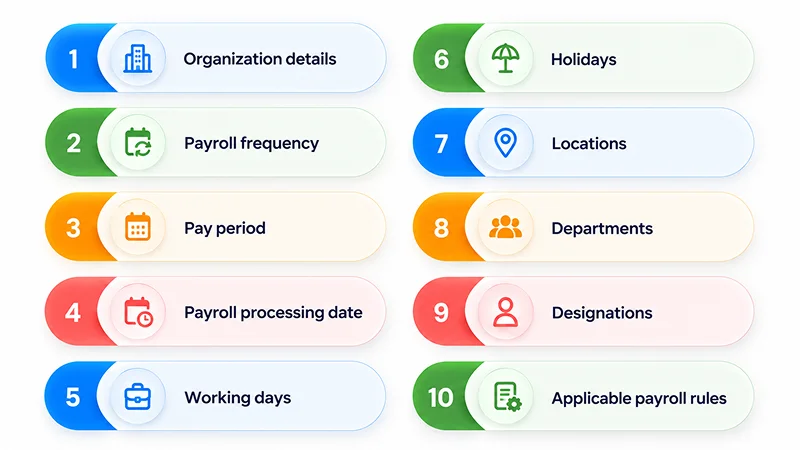
The initial setup is important because the software uses this information throughout the payroll cycle.
If the organization is operating at multiple locations or different employee categories, it should be configured according to the organization’s payroll structure.
A well-configured system eliminates the need for repeated manual changes required every payroll cycle.
Step 2: Add employee information
Once you have set up the organization, the next step is to add employees to the payroll system.
Employee records may include:
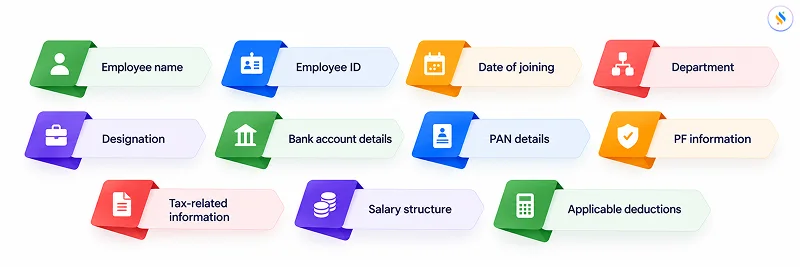
If your payroll software is already connected to an HRMS, you might find all this information already added in the employee database.
This eliminates the need to enter the same employee information multiple times.
Before the first payroll run, verify that the information is accurate.
Incorrect employee information can result in incorrect payroll calculations or payment issues.
Step 3: Configure employee salary structures
Once employees are added, start configuring their salary structures.
A salary structure may include components such as:
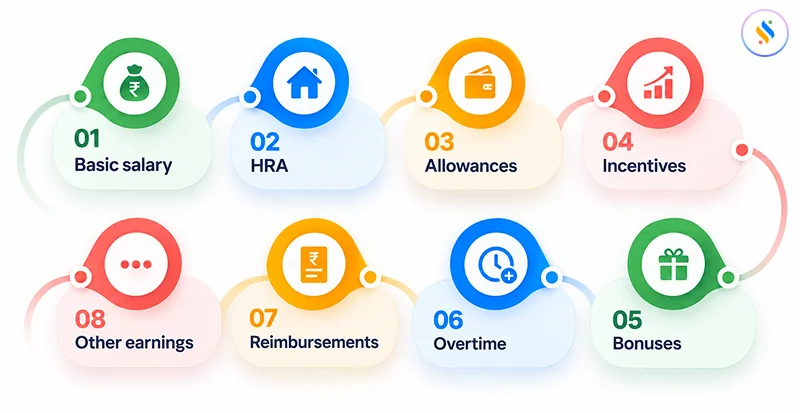
It may also come with applicable deductions and contributions.
Payroll software uses the configured salary structure to calculate employee pay during each payroll cycle.
For example:
Gross Earnings = Basic Salary + Allowances + Variable Earnings
The system can accordingly then calculate applicable deductions as per the rules configured and employee information.
This is one of the major steps while setting up payroll software because an incorrect salary structure might result in affecting every subsequent payroll calculation.
Step 4: Connect attendance and leave data
If your payroll software supports attendance and leave integration, connect the relevant data before running payroll.
This allows the payroll system to consider factors such as:
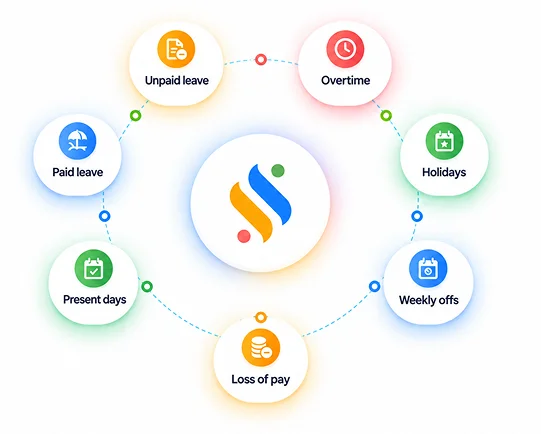
For example, if an employee has taken an unpaid leave during the month, the corresponding payroll adjustment can be reflected based on the organization’s configured rules.
Without integration, HR teams might have to manually enter attendance-related payroll inputs.
With an integrated system, the process could be simplified.
However, attendance and leave data must be reviewed and approved before payroll processing.
Step 5: Update payroll inputs
Not every payroll component is necessarily recurring.
Before running payroll, make sure you update any variable inputs for the current pay period.
These may include:
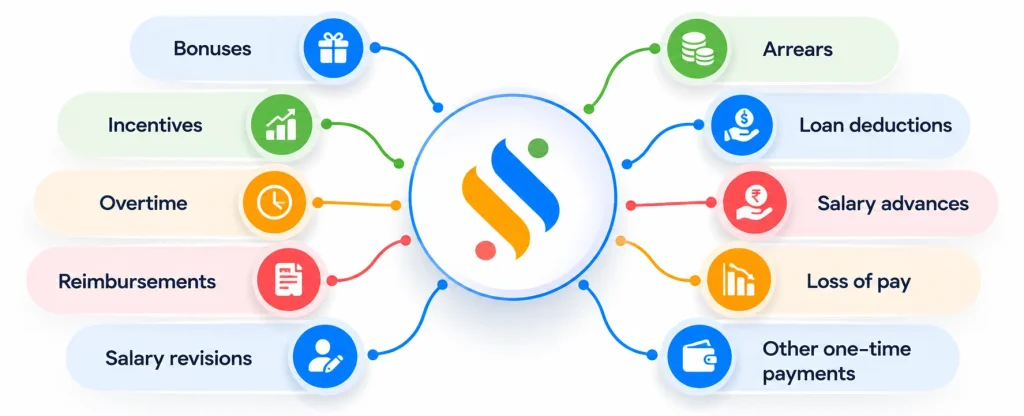
For example, if an employee has received a performance incentive in the month of September, that amount must be added to the applicable payroll input before processing September payroll.
Keeping a clear payroll input checklist can save you from missing important changes.
Step 6: Review Attendance and Payroll Inputs
Before running the final payroll, review the information that will be used for the payroll calculation.
Check:
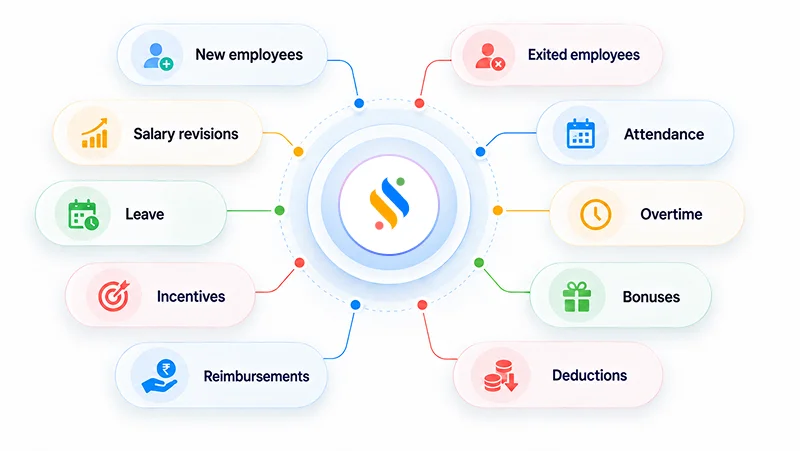
This review is important even when payroll is automated.
Automation can calculate based on the information provided, but it cannot fix the incorrect inputs.
For example, if an employee’s salary revision wasn’t updated in the system, the software might calculate payroll using the old salary.
A quick pre-payroll review can fix this and prevent many avoidable errors.
Step 7: Run Payroll
Once the payroll inputs are verified well, you can run payroll using the payroll software.
The exact process varies system by system
Select Pay Period → Review Employees → Process Payroll → Calculate Salary → Review Results
The software calculates the payroll based on the employee’s configured salary structure, attendance, leave, deductions, and other applicable inputs.
Instead of manually verifying each employee’s salary in a spreadsheet, the system processes the payroll as per the configured rules.
Step 8: Review the payroll results
Don’t immediately go for processing salary payments after running payroll.
First, review the calculated payroll.
Look for:
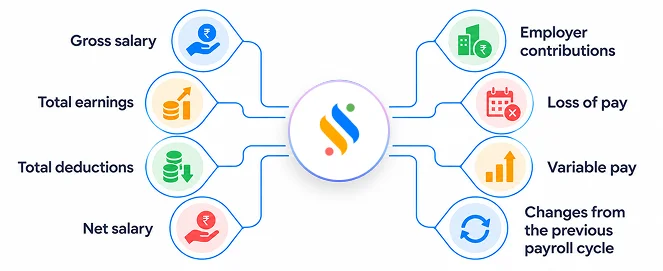
A month-on-month comparison can be very useful.
For example, if an employee usually receives ₹60,000 but the current payroll shows ₹45,000, the payroll team should look at the reason before approving it.
The difference could be legitimate – for example, unpaid leave – but unusual variations must always be checked.
Step 9: Approve payroll
After reviewing the payroll results, send the payroll for approval according to your organization’s workflow.
A typical process may look like:
HR/Payroll Team → Finance → Management Approval → Salary Processing
Payroll software can help to create approval workflows so that payroll isn’t processed without the required authorization.
This is particularly useful for growing businesses where payroll responsibilities are shared across HR, finance, and management.
Step 10: Process salary payments
Once payroll has been approved, process salary payments as per the organization’s chosen payment process.
Before processing, verify:
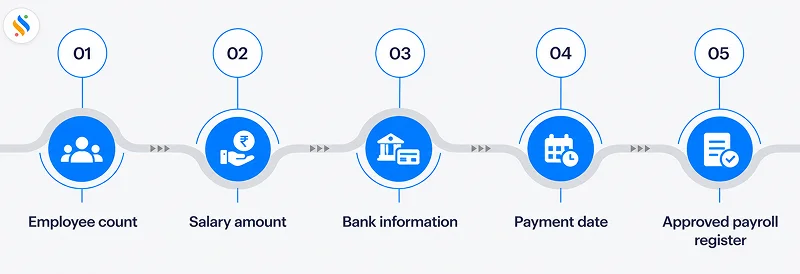
After salary processing, check for failed or rejected transactions and resolve them as and when required.
Maintaining payment records also helps in future reconciliation and payroll audits.
Step 11: Generate and share payslips
Once payroll is finalized, generate employee payslips.
A payroll software can typically generate payslips containing:
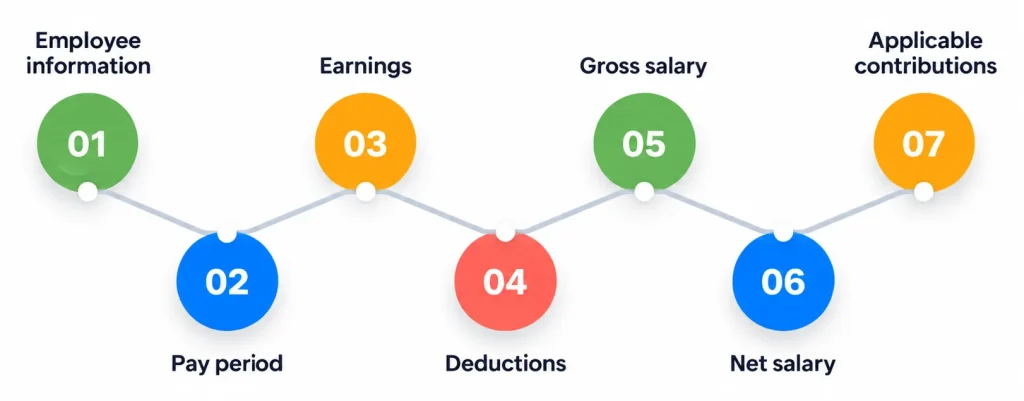
If employee self-service is not available, employees might not be able to access their payslips directly using the employee portal or mobile application.
Step 12: Complete payroll reports and compliance activities
Payroll doesn’t end once salaries are paid.
After processing payroll, use the software to generate relevant payroll reports and complete applicable statutory requirements.
As per the organization’s location and employee structure, this may include payroll-related tax, contribution, or statutory processes.
Payroll software may provide reports or tools to support these activities, but businesses should always make sure that their configurations and processes reflect the latest applicable regulations.
How Much Does It Cost to Run Payroll Using Software?
The cost to run payroll using payroll software may vary depending on several factors.
There isn’t a single price that will be applicable to every organization.
Payroll software pricing may depend on:
- Number of employees
- Payroll features
- HRMS integration
- Attendance integration
- Employee self-service
- Compliance features
- Implementation requirements
- Customer support
- Billing frequency
Businesses must pay attention to the cost of managing payroll manually.
For example, while doing manual payroll employees might have to spend several hours each month:
- Updating spreadsheets
- Calculating salaries
- Checking deductions
- Preparing payslips
- Reviewing attendance
- Creating reports
- Answering payroll queries
Therefore, while evaluating the cost to run payroll, businesses must compare the software cost against both the administrative time and potential cost of payroll errors.
Wrapping Up
That’s all for this blog. Here we saw what payroll software is, why one should choose payroll software, how to run payroll using payroll software and what could be its cost.
By choosing the right payroll software, businesses can plan a structured process where employee data, salary structures, attendance, leave, deductions, and payroll calculations can be managed in one system.
The basic workflow is simple:
Set up → Add employees → Configure salaries → Integrate attendance → Update payroll inputs → Review → Run payroll → Approve → Pay salaries → Generate payslips → Complete reporting and compliance.
For small businesses, this can make payroll even easier to manage as no large payroll administration team is required. For growing organizations, automation can help to create a more consistent and scalable payroll process.
The goal here is not to be quick at payroll. Instead make your payroll process accurate, transparent, repeatable, and easy for HR, finance, and employees to manage.