TL; DR
Free employee monitoring software comes in three real flavours: genuinely free tiers with capped users, open-source tools you self-host, and full-featured free trials. We compared eight options, from privacy-first tools like ActivityWatch and Traqq to full-feature trials like Super Track, so you can match the right one to your team size, budget, and how closely you actually need to watch the work happening on screen.
If you’ve typed “free employee monitoring software” into a search bar more than once this month, you’re not alone. Most teams land here for one of two reasons: the budget doesn’t stretch to a paid plan yet, or you want to test the waters before committing your HR stack to something new. Either way, there’s good news! You don’t have to choose between “free” and “actually useful.”
This list skips the obvious giants you’ve already seen ranked everywhere and focuses on tools that genuinely deliver on the word “free,” whether that’s a permanently free tier, an open-source build you run yourself, or a no-card-required trial long enough to make a real decision.
What does “Free” actually mean here?
Before comparing tools, it helps to know what you’re actually getting, because “free” gets used loosely in this category.
Free tiers:
A capped version of a paid product, usually limited by the number of seats, screenshot frequency, or how long data sticks around. Good for very small teams that plan to stay small.
Open-source, self-hosted tools:
No licence fee at all, but you run the server, manage updates, and handle your own data storage. Best for teams with some technical comfort who want full control.
Free trials:
Every feature is unlocked for a fixed window with no credit card needed to start. This is the most realistic way to judge whether a free employee tracking software fits your workflow before you scale it across the team.
Knowing which bucket a tool falls into will save you from a frustrating surprise three weeks in, when seat number six suddenly needs a credit card.
List of free employee monitoring software that are worth trying!
Super Track:
As a part of Superworks’ complete business management suite, Super Track is an employee monitoring software, and it leans toward teams that want full visibility on workforce productivity, no matter whether they work from the office or in a remote or hybrid setup. It covers real-time activity tracking, automatic screenshot capture through a work diary, app and website usage breakdowns, idle-versus-active time, and productivity reports on one dashboard. It isn’t a permanently free plan, but it gives you a free trial with no credit card required, plus a 15-day money-back guarantee if you do subscribe afterwards, so you can see exactly how monitoring works for your team before paying anything.
Traqq:
Traqq’s free “Starter” plan is capped at 3 seats, but within that limit, you get the full feature set: desktop time tracker, app/website activity tracking, mouse/keyboard activity tracking, custom reporting, team management, smart alerts, add/edit time manually, and pay rates. Teams of 4- 100 can run a 21-day free trial. What sets it apart is its privacy stance.
HiveDesk:
HiveDesk doesn’t have a permanent free plan. It runs on a single $5/user/month tier that includes every feature (screenshots at configurable intervals, activity tracking, scheduling, attendance, and leave management), backed by a 14-day free trial with no credit card required. With HiveDesk, employees are notified whenever monitoring is active, and there’s no stealth mode.
WorkTime:
WorkTime’s free version is capped at three employees, but within that limit, it’s a solid, privacy-conscious option. It deliberately skips keystroke logging, chat content, and screen recording, focusing instead on active/idle time, application usage, and attendance. It is genuinely a lighter-touch free employee computer monitoring software pick for teams that want oversight without granular surveillance. Teams that outgrow the 3-seat cap can run a 14-day, all-inclusive free trial of the paid plan with unlimited employees, no credit card required.
TrackingTime:
TrackingTime takes the opposite approach from most tools on this list: it does not take screenshots, log keystrokes, track GPS, or apply any form of passive surveillance. The free plan supports unlimited users and unlimited projects, with time logged through timers, manual entries, or calendar imports that employees control themselves. There’s an optional “AutoTrack” feature that helps employees reconstruct their own day for more accurate logging, but that data stays private to the employee until they choose to submit it.
TimeCamp:
TimeCamp’s free plan supports unlimited users at no cost, covering timesheets, web, desktop, and mobile apps, unlimited projects, 2-factor authentication, with AI time tracker (billed by token usage). It’s closer to free employee tracking software than full monitoring, but the unlimited-user model makes it worth a look. Starter plan starts with $2.49/user/month.
Toggl Track:
Toggl Track’s free plan covers features that include time tracking on web, desktop, and mobile, integration with 100+ tools via browser extension, Google & Outlook calendars integrations, and productivity reports. The best part is that while the number of users is limited under the free plan, the plan is absolutely free forever. This software is best for businesses that have a small team and only want key productivity insights.
Software that eliminates guesswork and gives you visibility!
Know what's happening across your team without constant follow-ups.
Free vs. paid: When should you upgrade?
Free plans are genuinely useful for testing the waters, but most teams hit a ceiling eventually, usually around seat limits, data retention windows, or the lack of alerts and deeper reporting. If you’re past five or six employees, juggling multiple departments, or need monitoring data tied into attendance and payroll rather than sitting in its own silo, that’s usually the point where a free employee monitoring software trial turns into a real evaluation of the paid version. There’s no rush to get there. If you want to see what a fuller feature set looks like, Super Track’s free trial is a low-pressure way to compare before deciding either way.
What should one look for before picking a free employee monitoring software?
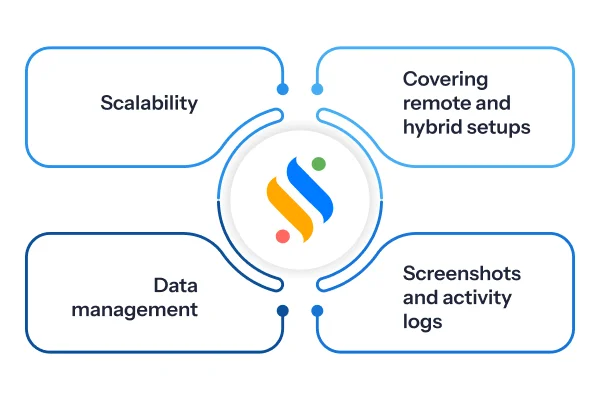
Not every free employee computer monitoring software tracks the same things, and not every team needs the same depth of visibility. A few questions worth asking before you install anything:
Does it cover remote and hybrid setups, or just office desktops?
If your team works from home even part-time, you’ll want a genuinely free remote employee monitoring software option, not one built only for on-premise machines.
Screenshots or just activity logs?
Some tools quietly log app and website usage; others add periodic screen capture. If visual proof matters to you, look specifically for free employee screen monitoring software with that built in.
What happens to the data?
Self-hosted tools keep everything local. Cloud tools store it on their servers, worth checking before you roll it out to a full team.
Can it scale with you?
A tool that’s free for three people but charges a steep premium past that is fine for a pilot, but plan if you’re hiring.
With that in mind, here’s where each tool on this list actually stands out.
How to choose the right free employee monitoring software for your team?
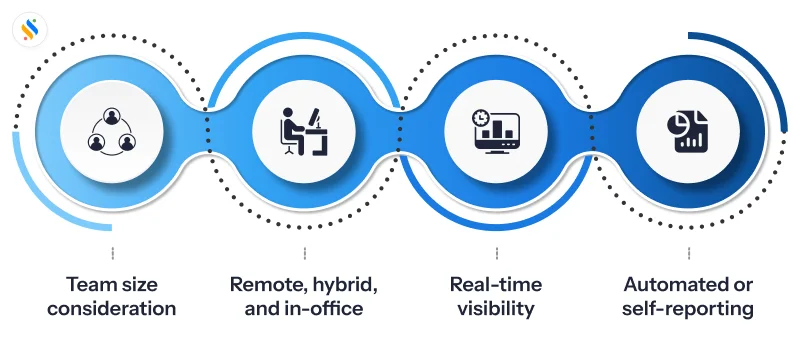
A few practical filters tend to narrow this down fast:
Team size today, and in six months:
A free tier capped at three users isn’t a problem now, but it will be the moment you hire.
Remote, hybrid, or in-office:
A free remote employee monitoring software needs to work reliably outside the office network — check this before rolling it out widely.
How much visibility do you actually need?
Basic time data, app usage, or full screenshots are three very different levels of detail, and more isn’t automatically better.
Self-reported vs. automatic:
Some tools rely on employees starting and stopping timers; others track automatically in the background. That’s a culture decision as much as a feature one.
There’s rarely a single “best” answer here. There’s a best fit for where your team is right now.
Wrapping Up
Not every business is blessed with heavy financial muscle. This is especially true for SMBs and mid-sized businesses. Now, it is impossible to ignore the immense potential of employee monitoring software. It has proven to be a game-changer for businesses in terms of increasing the workforce’s productivity and making them more accountable. And while this is something that appeals to businesses of all sizes, what limits the decision of having it is pricing.
Therefore, most SMBs and mid-sized businesses focus on free employee monitoring software that can match the limited requirements that they have. But which are the best ones out there? Are they free for life or for just a limited time period, and most importantly, how to get the right one? This blog has done its best to give you the insights you need to have a monitoring software for your business. Now, selecting the free one can be as difficult as selecting one with attractive pricing. But let me tell you, there is a reason why Super Track is on top of the list.
Coming from the Superworks suite, it is built to especially serve SMBs and mid-sized businesses, along with big enterprises. Its features ensure that your workforce becomes more efficient and accountable, and you can have real-time visibility with accurate analytics & reports. And the best part? All of this can be easily done from the dashboard! So, if you are looking for some free options, Super Track can easily be the best place to start. Just get your free trial and see it in action!